


Low battery
Description
The controller battery level is low, and should be replaced. If the battery empties completely all of the controller memory (recipes, materials, parameters and calibration data) will be deleted, the software will remain.
Reasons
Solutions
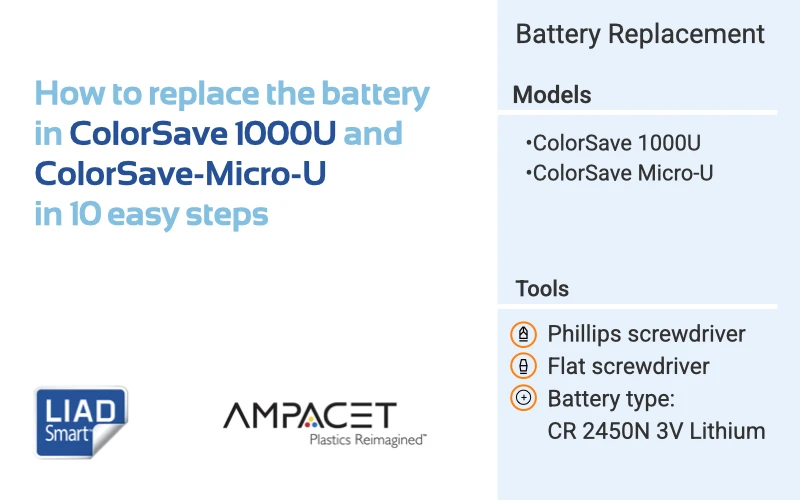
How to replace the battery in ColorSave 1000U and ColorSave-Micro-U in 10 easy steps
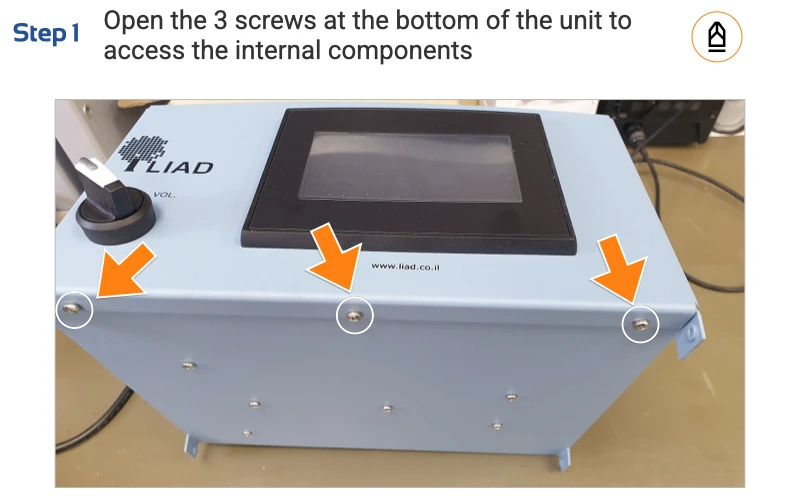
Open the 3 screws at the bottom of the unit to access the internal components
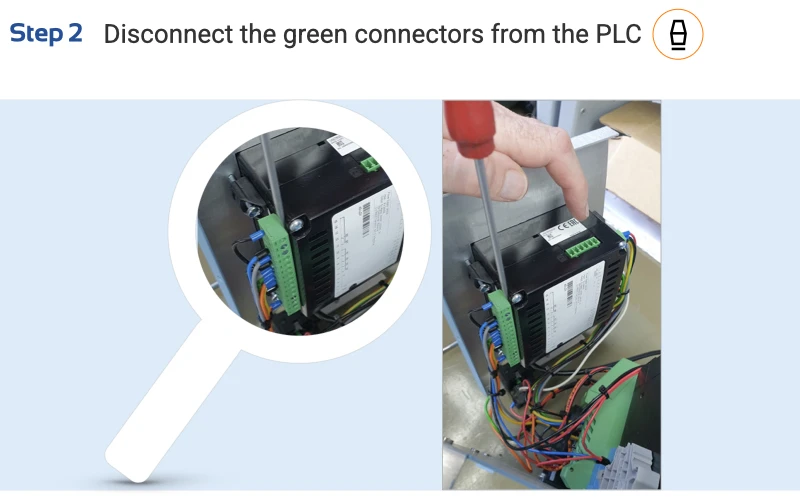
Disconnect the green connectors from the PLC
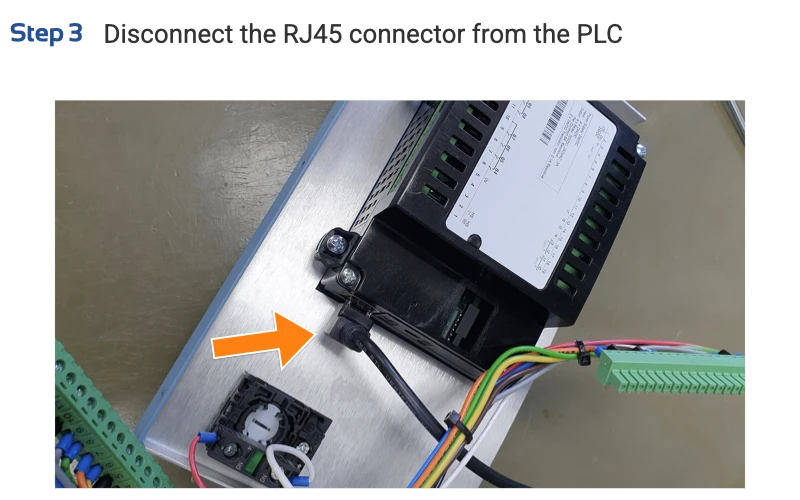
Disconnect the RJ45 connector from the PLC
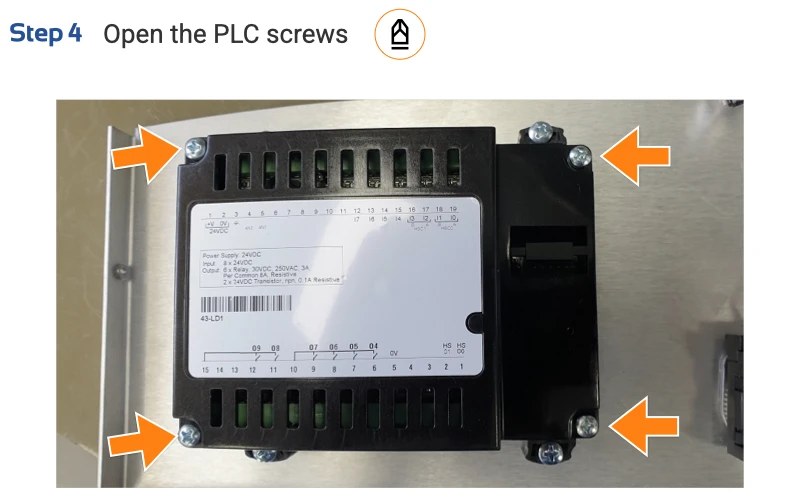
Open the PLC screws
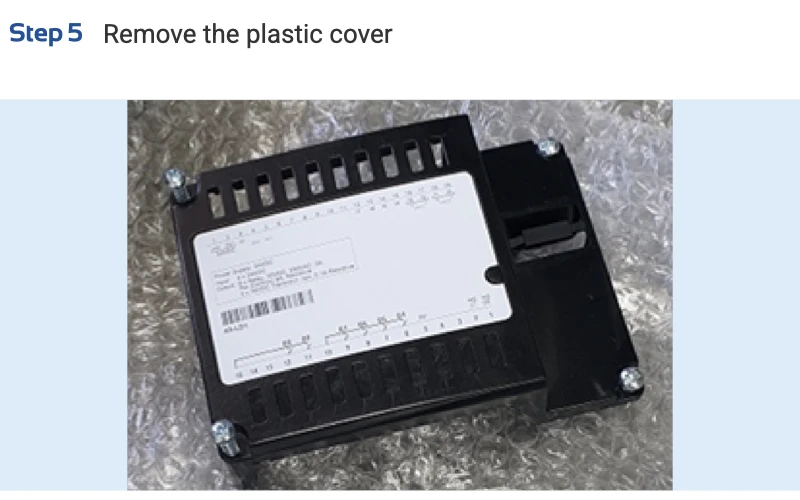
Remove the plastic cover
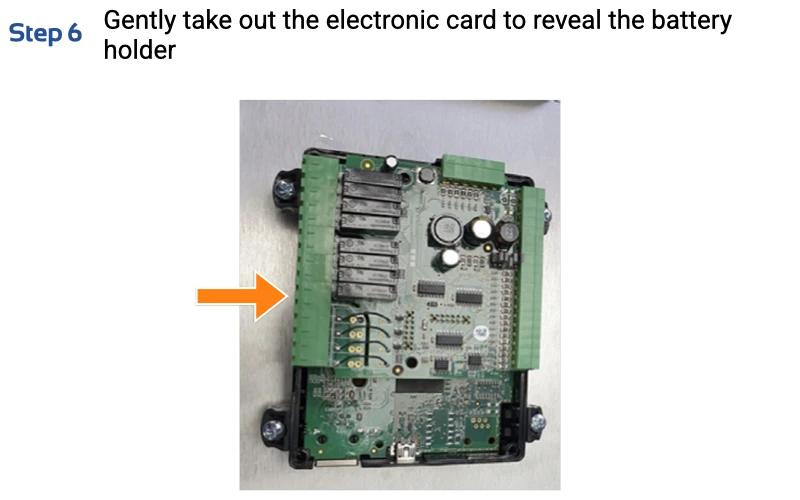
Gently take out the electronic card to reveal the battery holder
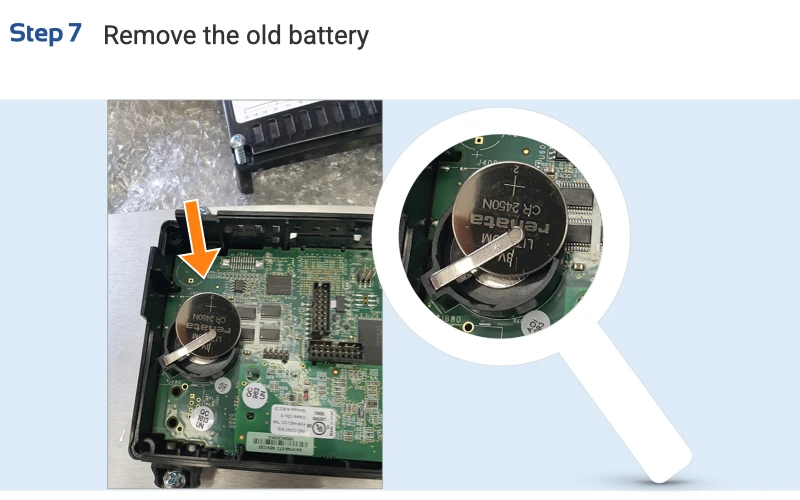
Remove the old battery
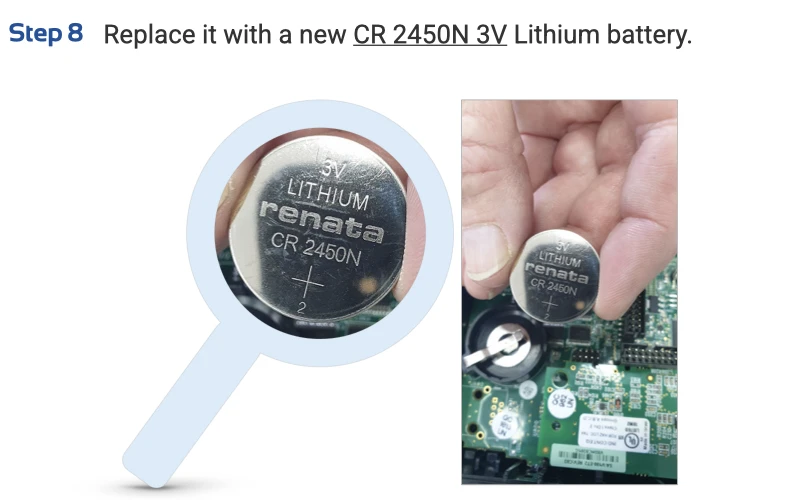
Replace it with a new CR 2450N 3V Lithium battery.
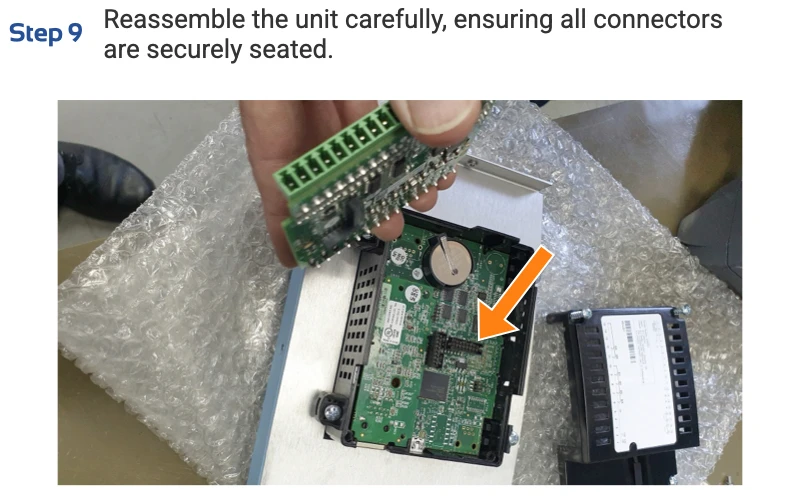
Reassemble the unit carefully, ensuring all connectors are securely seated.
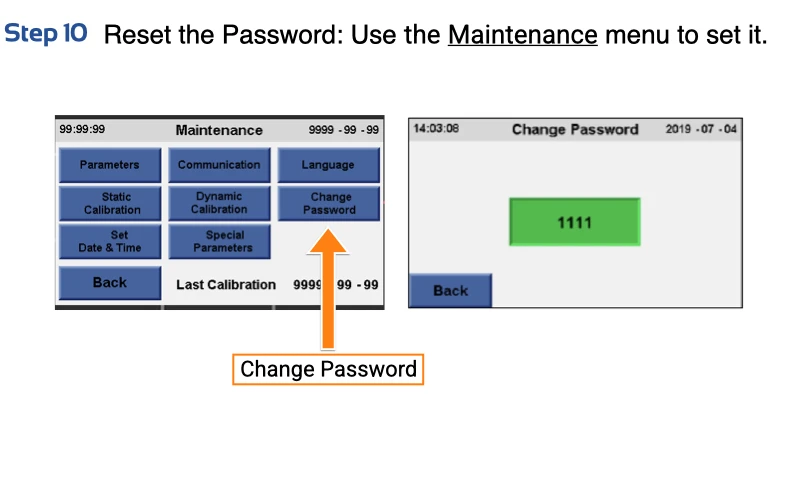
Reset the Password: Use the Maintenance menu to set it.

Done!
Speak directly with our engineers and find ways to reduce cost, inventory and time
Request a Demo© Copyright Ampacet Corporation. All Rights Reserved

